
Drop D tuning is D A D G B E, from the lowest string to the highest. Lower string 6 from E to D and leave the other five strings in standard tuning. This change gives you an open low D and a one-finger power-chord shape across strings 6–4. The tradeoff is that open chord shapes using the sixth string require modified fingerings or muting, and the lowered string tension can feel loose on light gauges. This guide shows you how to adapt open chords, play one-finger power chords, map key scales, and balance string tension for Drop D.
Drop D tuning notes
In standard tuning your six strings run E A D G B E from low to high. In Drop D changes the lowest string:
Scroll sideways to see all columns.
| String | Standard | Drop D |
|---|---|---|
| 6 (lowest) | E | D |
| 5 | A | A |
| 4 | D | D |
| 3 | G | G |
| 2 | B | B |
| 1 (highest) | E | E |
To get into Drop D, play the open 4th string (D) as a reference pitch and tune string 6 down until the two strings are an octave apart. Most chromatic tuners can also read the low D.
Fretboard changes in Drop D
String 6 now starts on D, so each note on that string moves down a whole step. Strings 5–1 keep their standard-tuning notes. The new low string changes three parts of your playing:
- A chord shape that includes string 6 produces a different bass note.
- A barre across strings 6, 5, and 4 produces a root, fifth, and octave.
- The open D extends the guitar one whole step below standard tuning.
Rock and metal guitarists often use Drop D for low pedal tones, one-finger power chords, and quick changes between them.
Power chords in Drop D
Strings 6, 5, and 4 use D, A, and D. Barre those strings at the same fret to play a root, fifth, and octave with one finger.
D5 power chord in Drop D:
- Fret 0 (open): D5
- Fret 2: E5
- Fret 3: F5
- Fret 5: G5
- Fret 7: A5
- Fret 9: B5
- Fret 10: C5
- Fret 12: D5 (octave)
Move the same barre up the neck to change the root. Songs such as "Killing in the Name" by Rage Against the Machine and "Cochise" by Audioslave use this low-string layout for riffs and palm-muted power chords.
Open chords in Drop D
Standard-tuning shapes that avoid string 6 keep the same notes. Shapes that include string 6 need a new bass note or a muted low string.
Unchanged shapes: A major, A minor, C major, and B minor use strings 5–1, so you can play them as you would in standard tuning.
Chords that change:
- E major and E minor: Mute string 6 or change the voicing. The open low string now adds D rather than E.
- G major: Fret 3 on string 6 now produces F. Mute string 6 or fret it at fret 5 to add G in the bass.
- D major: Add the open sixth string to the standard open D shape for a low D bass note.
- D minor: Add the open sixth string to extend the chord into the low register.
- D power chord (D5): Play strings 6, 5, and 4 open.
Scales in Drop D: what shifts and what stays the same
Strings 5–1 keep their standard-tuning scale patterns. Adjust any shape that crosses onto string 6.
D Natural Minor (Aeolian) in Drop D
The open sixth string gives you the root of D natural minor. The scale contains D, E, F, G, A, B♭, and C.
On the fretboard in Drop D, the scale sits like this across the lower strings:
- String 6 (low D): Open = D, fret 2 = E, fret 3 = F, fret 5 = G, fret 7 = A, fret 8 = B♭, fret 10 = C
- String 5: Fret 0 = A, fret 1 = B♭, fret 3 = C, fret 5 = D
- Strings 4–1: Use the standard-tuning note positions
You can play a root-position D natural minor pattern near the nut and use the open D as a pedal tone.
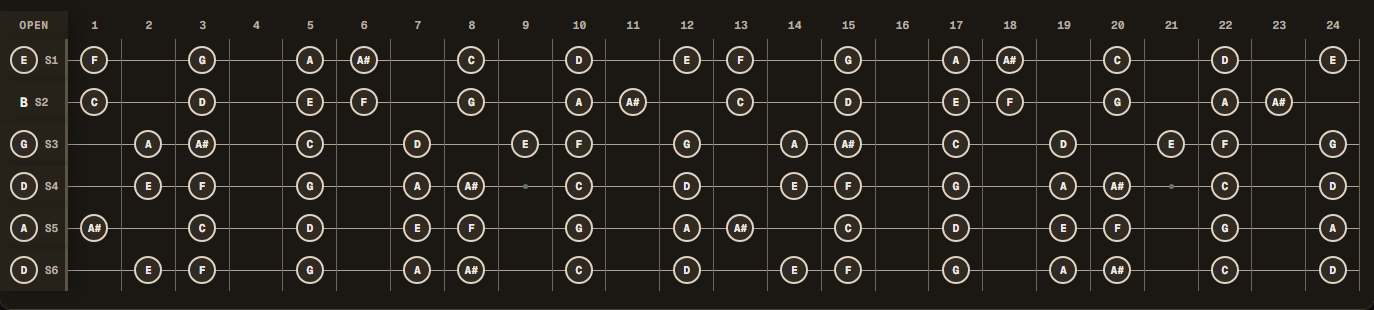
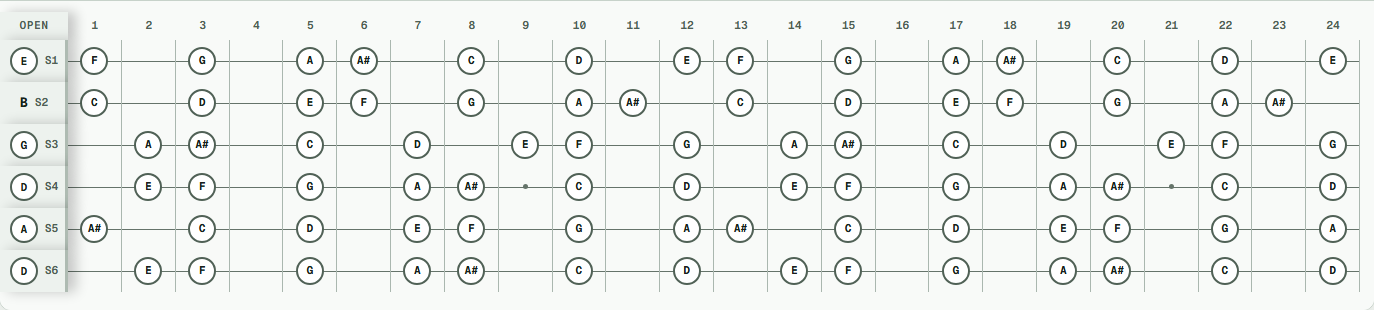
→ Map D natural minor in Drop D
D Harmonic Minor in Drop D
D harmonic minor raises C to C#, which creates an augmented second between B♭ and C#. Two useful positions are:
- The open string gives you immediate access to the root
- The raised 7th (C#) appears on fret 4 of string 5 and fret 11 of string 6
Hold the low D as a drone while you play the raised seventh above it. C# pulls back toward the D root.
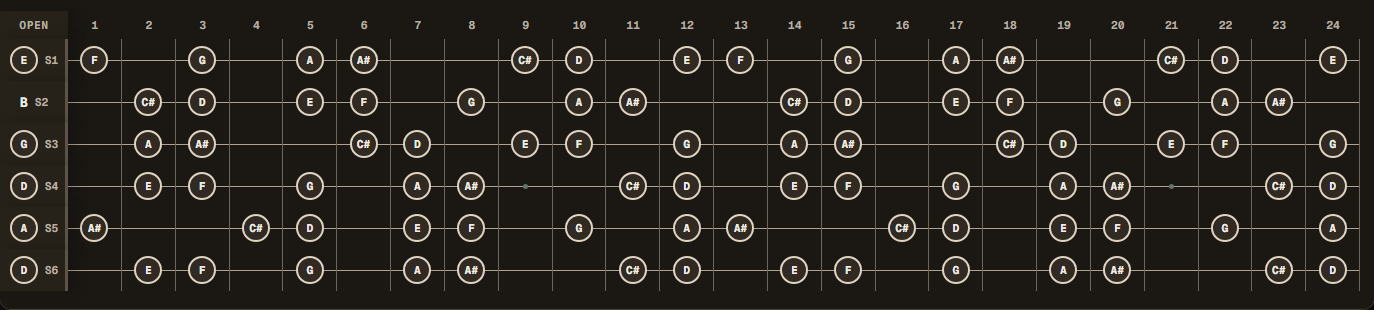
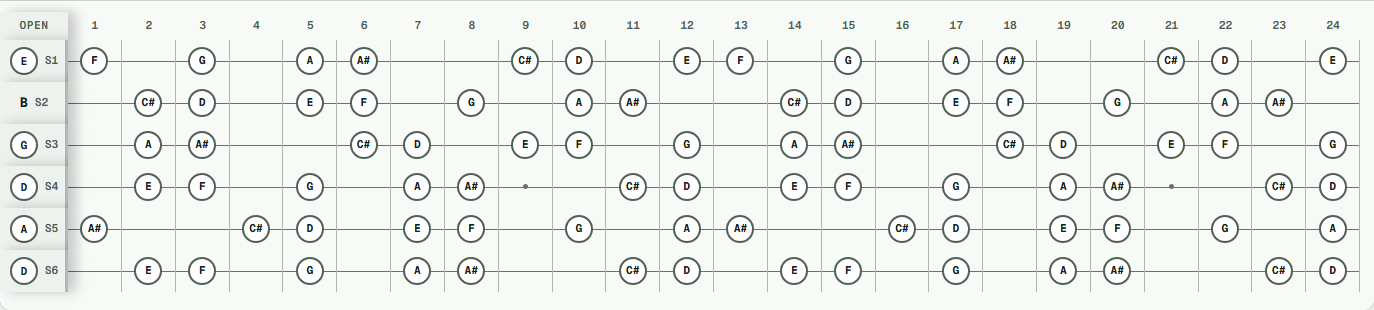
→ Map D harmonic minor in Drop D
D Phrygian in Drop D
D Phrygian contains a flat second, E♭, one semitone above the root. Play fret 1 against the open sixth string to hear that interval.
In Drop D this maps to: D E♭ F G A B♭ C
D Phrygian Dominant raises F to F#: D, E♭, F#, G, A, B♭, C. The major third separates it from D Phrygian while the flat second stays in place.
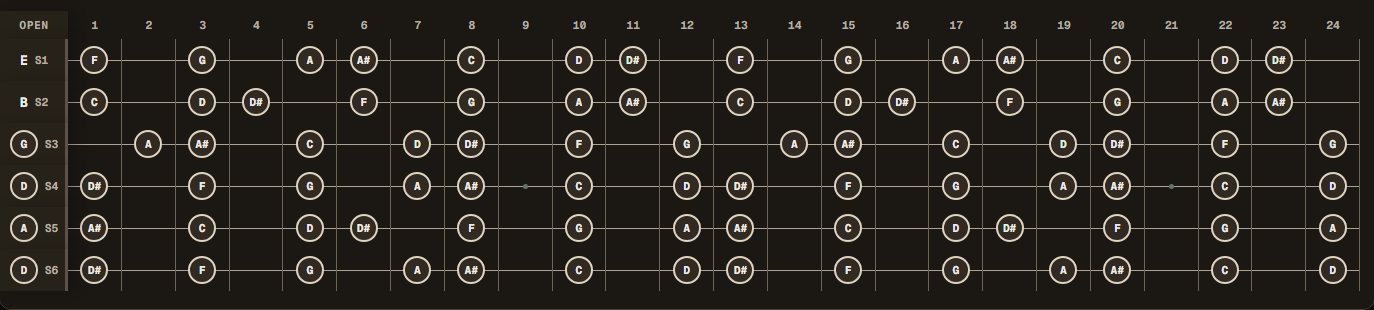
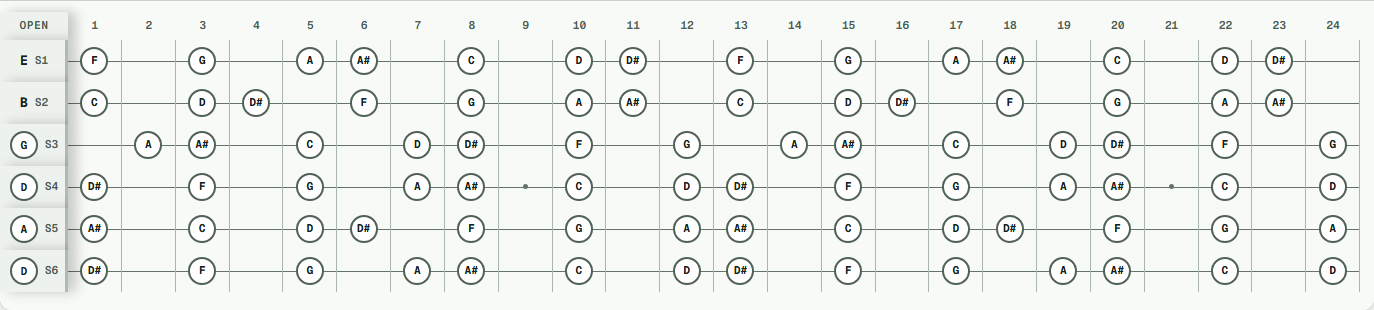
→ Map D Phrygian Dominant in Drop D
Select 6-String Drop D in the visualizer, set the scale root to D, and choose a scale type to map its notes.
Common chord progressions in Drop D
These progressions use the open D and roots available on string 6:
i – VII – VI (D minor – C – B♭)
Play this with power chords on strings 6–4 at fret 0, fret 10, and fret 8.
i – ♭VII – ♭VI – V (D minor – C – B♭ – A)
The A major chord adds C#, the leading tone that resolves to D.
i – iv – ♭VII – i (D minor – G minor – C – D minor)
Play G minor and C with shapes on strings 5–1. Use the open strings 6–4 for D5.
Power chord riff progressions (single-string slides)
Combine palm-muted open D notes with power chords on strings 6–4. Try D5 at fret 0, F5 at fret 3, and G5 at fret 5 before returning to D5.
Original practice exercise: Pedal-Tone Riffing (85 BPM)
Set a metronome to 85 BPM. Practice moving one-finger power chords above a steady open D pedal on string 6:
- Measure 1: Play four palm-muted eighth notes on open string 6 (D5), then strike fret 3 (F5) on strings 6–4.
- Measure 2: Play four palm-muted open notes, then strike fret 5 (G5) on strings 6–4.
- Measure 3: Play four palm-muted open notes, then strike fret 8 (B♭5) on strings 6–4.
- Measure 4: Play fret 7 (A5) on strings 6–4 and resolve to a ringing open D5 (
0-0-0-x-x-x).
Skill focus: Tight palm-muting transitions between open bass pedal notes and accented one-finger barres.
Drop D vs standard tuning: when to use each
Drop D gives you a lower open note and a one-finger power-chord shape. Standard tuning keeps its usual low-string chord and scale patterns.
Scroll sideways to see all columns.
| Feature | Standard EADGBE | Drop D DADGBE |
|---|---|---|
| Power chords | Two-finger shape | One-finger barre |
| Low range | Low E (standard) | Low D (a whole step lower) |
| Open chord shapes | All standard shapes work | E and G shapes need adjustment |
| String 6 scale patterns | E-rooted patterns | D-rooted patterns |
| Best for | Lead guitar, full chord playing | Heavy riffing, low-tuned rhythm guitar |
| Common genres | General chord and lead playing | Rock, metal, grunge, alternative |
Decision rule: Choose Drop D when you want quick one-finger power chords, heavy rock riffs, or low-D pedal tones while keeping standard chord shapes and soloing patterns across strings 5–1. Stick with Standard E when you rely primarily on unmodified 6-string open chords or standard barre grips.
String tension and gauge setup for Drop D
On a 25.5-inch scale length guitar, lowering only the 6th string from E to D reduces tension on that string from 17.5 lbs to 13.9 lbs. Total instrument tension drops slightly from 103.6 lbs to 99.8 lbs.
Scroll sideways to see all columns.
| Input | Standard E .010–.046 | Drop D .010–.046 | Drop D .010–.048 |
|---|---|---|---|
| Scale length | 25.5 in | 25.5 in | 25.5 in |
| Tuning, low to high | E A D G B E | D A D G B E | D A D G B E |
| Gauges, low to high | .046 .036 .026 .017 .013 .010 | .046 .036 .026 .017 .013 .010 | .048 .036 .026 .017 .013 .010 |
| Estimated tension (6th string) | 17.5 lb | 13.9 lb | 15.6 lb |
| Estimated total tension | 103.6 lb | 99.8 lb | 101.5 lb |
If your low D feels loose or rattles against the frets under hard picking, stepping up the low string to a .048 or .050 restores firm string tension while keeping standard lead flexibility on strings 5–1. Read the Drop D string gauge guide for detailed gauge options.
Visualizing Drop D with AltTuningLab
Open the Drop D preset and follow these steps:
- Go to AltTuningLab.com
- Select 6-String Drop D from the tuning preset
- Set Scale Root to D and Scale Type to Minor (Aeolian) to map D natural minor
- Set Chord Root to D and Chord Quality to Power (5) to see the one-finger barre chord highlighted across strings 6, 5, and 4
- Add D minor, C, B♭, and A to the progression
Switch from Drop D to D Standard to compare the same chord shape under two tuning layouts.
→ Open Drop D with D5 and D natural minor
Songs to learn in Drop D
Study how these songs use low pedal tones, open strings, and compact power-chord shapes:
- Foo Fighters: "Everlong". Listen for the open-string arpeggios.
- Soundgarden: "Black Hole Sun". Follow the open chord voicings.
- Alice in Chains: "Them Bones". The guitar uses Drop C#, one half-step below Drop D.
- Rage Against the Machine: "Killing in the Name". Follow the one-finger power-chord riff.
- Nirvana: "Heart-Shaped Box". The guitar uses Drop C# and combines low power chords with a melodic line.
- Led Zeppelin: "Moby Dick". Listen for the blues phrasing around the low D.
- Tool: "Schism". Count the odd-meter riff and follow its chord movement.
Compare how each guitarist uses the lower range or open-string resonance. Then borrow one technique for your own riff.
Next steps
Start with the D-A-D stack on strings 6–4, then check any chord or scale shape that crosses string 6. Compare the same one-finger power-chord layout in Drop C, or add a low string with 7-string Drop A.
Sources and verification
All tuning intervals, chord structures, fret maps, and string tension calculations in this guide have been verified using AltTuningLab's calculation engine and reference string standards:
- D'Addario String Tension Guide: Unit weight formulas (
UW = (T * 386.4) / (2 * L * F)^2) and measured tension tables used to calculate string tension at 25.5-inch scale length. - AltTuningLab Music Theory Engine: All fretboard intervals, note spellings, and chord voicings computed and verified against standard 12-tone equal temperament.
To report an error or suggest an addition to this guide, contact our editorial team via the contact page.